Details
How a Real Estate Company Built a Property Website Designed for Qualified Inquiries
How a Real Estate Company Built a Property Website Designed for Qualified Inquiries

1. Project Overview
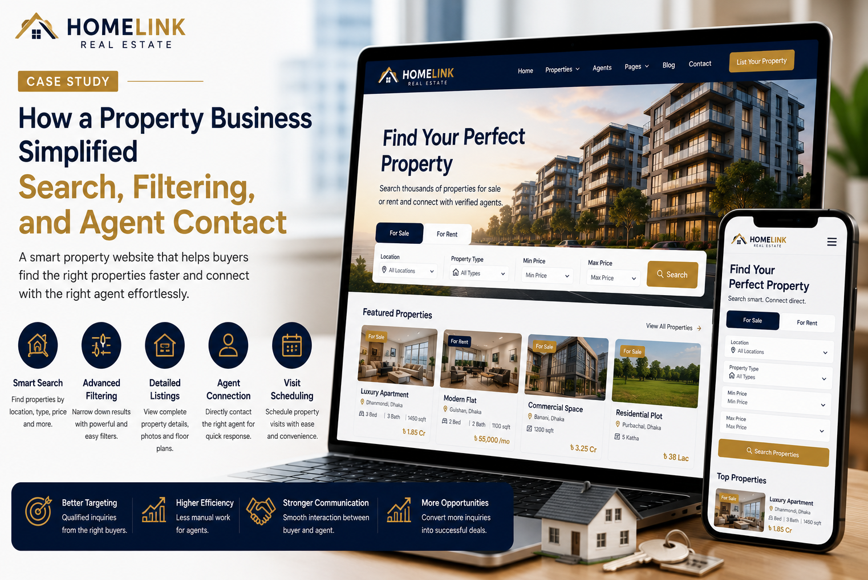
A growing real estate company needed a professional property website that could do more than display project images and phone numbers.
The company offered residential apartments, commercial spaces, land, ready properties, and upcoming developments. Most potential buyers discovered its projects through Facebook, Google Search, property advertisements, referrals, and WhatsApp.
Visitors frequently wanted to know:
- Which properties were currently available
- Where each project was located
- What apartment sizes were offered
- What the estimated price range was
- Which units were ready or under construction
- What amenities were included
- Whether financing or installments were available
- How to arrange a property visit
- Which documents were required
- How to contact the correct sales representative
The previous digital experience did not answer these questions consistently. Many visitors viewed a few project photos but left without submitting useful information.
Webnion planned a responsive real estate website focused on detailed property pages, location-based discovery, structured inquiry forms, project credibility, mobile usability, and lead qualification.
The goal was to turn general property interest into organized inquiries containing enough information for the sales team to follow up effectively.
2. The Business Challenge
Real estate purchases require more consideration than ordinary online products.
A potential buyer may compare several projects, discuss the decision with family members, review financing options, evaluate the location, and arrange multiple site visits before making a final decision.
The company faced several common challenges:
- Property information was scattered across social media posts
- Available units were difficult to identify
- Project images lacked structured details
- Buyers repeatedly asked the same questions
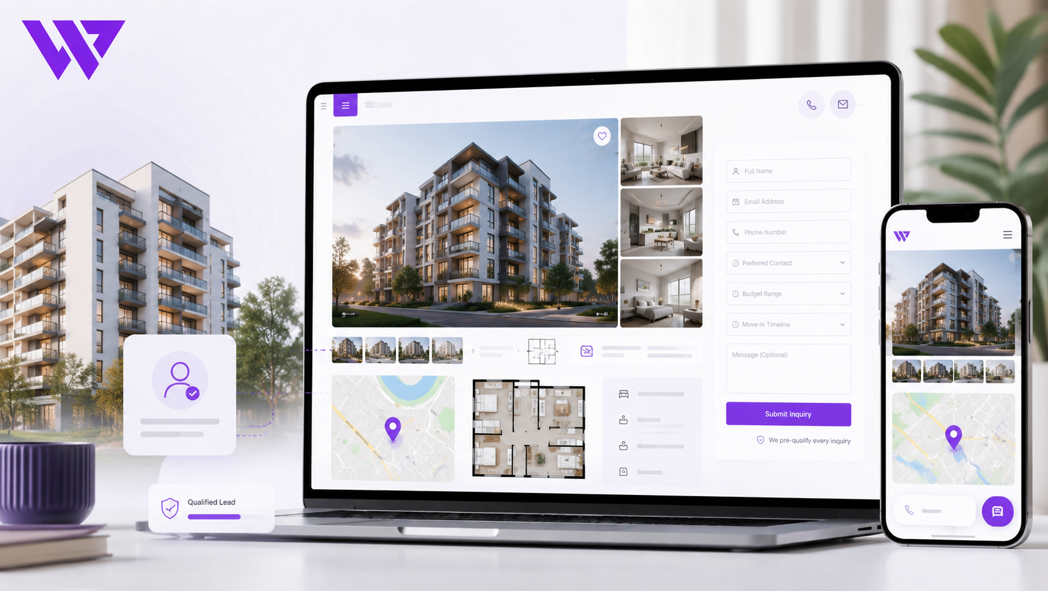
- Inquiries arrived without budget or location preferences
- Sales staff could not distinguish serious buyers from casual visitors
- Mobile users struggled with long project pages
- Location advantages were not explained clearly
- Construction progress was difficult to communicate
- Property visit requests were managed manually
- Different buyer types followed the same inquiry process
- The website lacked strong project-level SEO foundations
The business needed a property platform that educated visitors and collected qualified inquiry information.
3. Project Objectives
The project was planned around the following objectives:
- Present the real estate brand professionally
- Organize properties by type, location, and status
- Create detailed pages for every project
- Make available unit information easier to understand
- Collect buyer budget and property preferences
- Simplify property visit requests
- Support phone, WhatsApp, and website inquiries
- Build confidence through real project evidence
- Improve mobile property browsing
- Support local and project-specific SEO
- Help the sales team prioritize serious leads
- Create a scalable structure for future developments
Every section was designed to help visitors understand the property and take a meaningful next step.
4. Our Strategy
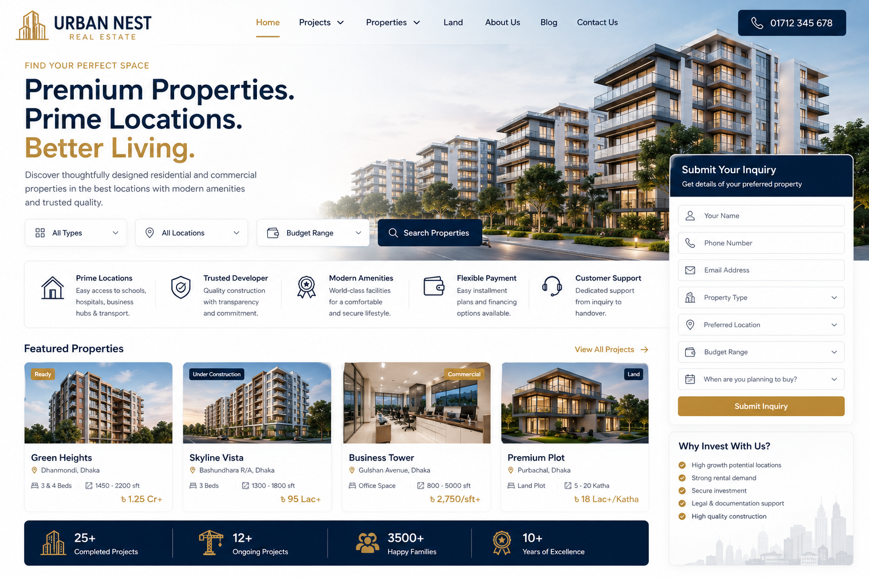
We planned the website around the way property buyers make decisions.
The intended journey was:
Discover a property → Review location and project details → Explore available units → Check price and payment guidance → View construction evidence → Submit a qualified inquiry → Arrange a property visit
The website was not designed as a simple image gallery.
It worked as a digital property consultant that answered common questions before the sales conversation began.
The experience also separated different customer intentions, including:
- Buying an apartment
- Purchasing commercial space
- Investing in land
- Requesting a site visit
- Asking about installment options
- Selling or listing a property
- Exploring future developments
This helped the company collect more relevant inquiry information.
5. Professional Real Estate Brand Presentation
Real estate customers need to feel confident about the company before discussing a high-value purchase.
The website design focused on:
- Clean and premium layouts
- Real project photography
- Consistent branding
- Clear typography
- Spacious page sections
- Professional project cards
- Visible contact information
- Structured property details
- Trust-focused content
- Mobile-friendly inquiry actions
The design avoided overcrowded promotional graphics and unsupported claims.
The properties, locations, project evidence, and inquiry journey remained the main focus.
6. Organizing Properties by Type
The property catalog was divided into clear categories.
These could include:
- Residential Apartments
- Commercial Properties
- Ready Apartments
- Under-Construction Projects
- Upcoming Projects
- Land and Plots
- Office Spaces
- Retail Spaces
- Luxury Properties
- Investment Properties
This helped visitors begin from the category most relevant to their needs.
A buyer looking for a ready apartment did not need to browse through unrelated commercial or future projects.
7. Location-Based Property Discovery
Location is one of the most important factors in a real estate decision.
The website could organize projects by:
- City
- Area
- Neighborhood
- Main road
- Business district
- Residential zone
- Nearby landmark
- Development zone
Visitors could explore properties in specific locations without searching through the full portfolio.
Each location page could introduce:
- Area overview
- Nearby facilities
- Transport access
- Schools and universities
- Hospitals
- Shopping areas
- Business centers
- Available projects
This created a more useful discovery journey and stronger local SEO opportunities.
8. Property Search and Filters
A property search system helped visitors narrow available options.
Filters could include:
- Property type
- Location
- Project status
- Number of bedrooms
- Floor area
- Price range
- Ready or under construction
- Parking availability
- Commercial or residential use
- Featured properties
A visitor could search for a three-bedroom apartment in a preferred area within a specific budget instead of opening every project manually.
This reduced browsing time and improved inquiry relevance.
9. Detailed Project Pages
Every project received its own structured page.
A project page could include:
- Project name
- Property type
- Full location
- Project status
- Expected completion date
- Apartment or unit sizes
- Bedroom options
- Number of floors
- Parking information
- Available units
- Amenities
- Floor plans
- Photo gallery
- Construction progress
- Price guidance
- Payment information
- Site visit action
- Inquiry form
This gave buyers one reliable source for the most important project information.
10. Strong Project Overview
The top of each project page presented the most important information immediately.
The overview could display:
- Main project image
- Project name
- Location
- Property status
- Unit size range
- Bedroom options
- Availability
- Starting price where approved
- Request Details button
- Schedule a Visit button
Visitors could quickly understand whether the property matched their basic needs.
Detailed information remained available further down the page.
11. Property Photography
High-quality photography was essential for building interest and confidence.
The project gallery could include:
- Building exterior
- Main entrance
- Lobby
- Living room
- Bedroom
- Kitchen
- Bathroom
- Balcony
- Parking area
- Rooftop
- Shared facilities
- Surrounding roads
- Neighborhood views
Real property images were preferred whenever available.
Concept images and architectural renders were labeled clearly so buyers did not mistake them for completed construction.
12. Project Video and Virtual Presentation
Video could help buyers understand the property more completely.
The project page could include:
- Project walkthrough
- Apartment tour
- Construction progress video
- Location overview
- Architect presentation
- Developer message
- Drone footage
- Virtual tour
Videos helped remote buyers and busy customers explore the project before arranging a physical visit.
They did not replace on-site verification or professional inspection.
13. Floor Plans
Floor plans were presented in an easy-to-understand format.
Each plan could include:
- Unit type
- Total floor area
- Bedroom count
- Bathroom count
- Balcony
- Kitchen layout
- Dining and living areas
- Entrance
- Utility space
- Orientation
- Unit reference
Customers could zoom into floor-plan images on mobile devices.
Where several layouts were available, buyers could compare them before submitting an inquiry.
14. Unit Size and Layout Options
A project might offer several apartment or commercial unit types.
Each option could maintain separate:
- Unit name
- Floor area
- Bedroom count
- Bathroom count
- Floor-plan image
- Estimated price
- Availability
- Floor position
- Parking allocation
- Inquiry action
This prevented visitors from assuming that every unit had the same layout or price.
The inquiry form could automatically include the selected unit type.
15. Availability Information
Property availability can change frequently.
The website could display statuses such as:
- Available
- Limited Availability
- Reserved
- Sold
- Upcoming
- Contact for Availability
Where appropriate, availability could be managed at the unit or floor-plan level.
The page clarified that availability remained subject to final confirmation by the sales team.
This reduced inquiries for units that were no longer offered.
16. Transparent Price Guidance
Real estate prices may vary according to:
- Unit size
- Floor
- Orientation
- Parking
- View
- Booking date
- Payment plan
- Finishing
- Additional facilities
The website could show:
- Starting price
- Estimated price range
- Price per unit area
- Booking amount
- Payment-plan information
- Registration or additional cost guidance
- Contact for final quotation
The page explained that the final amount would be confirmed by the company after reviewing the selected unit and current availability.
This created transparency without presenting outdated or misleading figures.
17. Payment and Installment Information
Many buyers wanted to understand the payment process before contacting the company.
The website could provide general information about:
- Booking payment
- Down payment
- Construction-linked installments
- Monthly or scheduled payments
- Handover payment
- Available financing support
- Payment-plan eligibility
- Required documentation
The website avoided guaranteeing financing approval.
Final payment terms remained subject to the company’s official agreement and current project policy.
18. Property Amenities
Amenities were presented clearly instead of being hidden inside long descriptions.
Depending on the project, these could include:
- Lift
- Generator or backup power
- Security
- CCTV
- Parking
- Rooftop space
- Community room
- Gym
- Prayer space
- Children’s play area
- Fire-safety provisions
- Reception
- Waste-management system
- Green space
Only verified facilities were displayed.
Planned amenities were identified as proposed or subject to final project delivery where appropriate.
19. Location Advantages
A location page or project section could explain nearby facilities such as:
- Main roads
- Public transport
- Schools
- Universities
- Hospitals
- Shopping centers
- Business areas
- Restaurants
- Parks
- Religious institutions
- Airport access
The website used accurate distances or general location descriptions when verified.
It avoided unrealistic travel-time claims that could change due to traffic or road conditions.
20. Interactive Map Integration
An interactive map helped visitors understand the project location.
The page could include:
- Exact location where appropriate
- Nearby landmarks
- Main access roads
- Get Directions button
- Sales office location
- Project site location
- Nearby facilities
Mobile visitors could open the destination directly in a map application.
For projects where exact location disclosure required sales approval, the website could display the general area and provide details after inquiry.
21. Construction Progress Updates
Under-construction projects required ongoing evidence.
The website could publish:
- Monthly progress photos
- Construction stage
- Updated completion estimate
- Structural work status
- Finishing work status
- Utility installation progress
- Handover preparation
- Progress videos
- Update date
This gave existing and potential buyers a clearer view of project activity.
Progress updates were dated so visitors could distinguish current information from older content.
22. Project Timeline
A project timeline could show major milestones such as:
- Land acquisition
- Design approval
- Construction start
- Foundation completion
- Structural completion
- Finishing stage
- Utility installation
- Inspection
- Handover preparation
- Expected handover
The page clarified that timelines could change because of approvals, materials, weather, construction conditions, or other operational factors.
This created a more responsible expectation than presenting an unconditional completion guarantee.
23. Developer and Company Information
Potential buyers needed to verify the company behind the project.
The website could present:
- Company background
- Leadership
- Years of operation where verified
- Completed projects
- Current developments
- Office address
- Contact information
- Company registration details where appropriate
- Professional partnerships
- Customer-support process
Trust was built through verifiable information rather than unsupported claims such as “the best developer.”
24. Completed Project Portfolio
Completed projects provided important evidence.
Each portfolio page could include:
- Project name
- Location
- Property type
- Completion year
- Number of units
- Project images
- Handover status
- Main facilities
- General project overview
This helped potential buyers understand the company’s previous work.
Resident information and private property details were not published without permission.
25. Testimonials and Buyer Reviews
Customer feedback could discuss:
- Sales communication
- Booking process
- Project updates
- Handover experience
- Documentation support
- Property quality
- Customer service
Testimonials were presented as individual experiences.
The website did not suggest that every buyer would receive an identical experience or financial result.
Permission was required before publishing full names, photos, videos, or property details.
26. Investment-Focused Information
Some visitors were purchasing for investment rather than personal use.
The website could provide general information about:
- Property type
- Location potential
- Rental demand considerations
- Commercial suitability
- Development stage
- Nearby infrastructure
- Payment schedule
- Resale restrictions where applicable
The website avoided guaranteed return, appreciation, rental income, or profit claims.
Investment decisions depend on market conditions, property details, legal review, financing, and individual circumstances.
27. Separate Buyer Journeys
Different buyers required different inquiry paths.
The website could offer separate options for:
- First-time home buyers
- Family apartment buyers
- Property investors
- Commercial buyers
- Land buyers
- Corporate buyers
- Overseas buyers
- Property owners wanting to sell
Each journey could collect relevant information without forcing every visitor through the same generic form.
28. Qualified Inquiry Form
The main property inquiry form was designed to collect useful sales information.
Fields could include:
- Full name
- Phone number
- Email address
- Preferred property
- Preferred location
- Property type
- Bedroom requirement
- Approximate budget
- Purchase timeline
- Payment preference
- Site visit interest
- Current city or country
- Additional message
- Consent confirmation
This helped the sales team understand the buyer’s needs before making contact.
It also reduced repetitive questions during the first conversation.
29. Product-Specific Inquiry Information
When a visitor submitted an inquiry from a project page, the system could automatically record:
- Project name
- Unit type
- Floor plan
- Property location
- Page link
- Inquiry source
The visitor did not need to copy the project name or send screenshots manually.
The sales representative could immediately identify the property that generated the inquiry.
30. WhatsApp Property Inquiries
A WhatsApp button could open a prepared message.
For example:
Hello, I am interested in this property.
Project: Green Heights Residence
Location: Dhanmondi
Preferred Unit: Three-bedroom apartment
Budget Range:
Site Visit Required: Yes
Project Link: [page link]
Please share current availability, payment details, and visit options.
This made WhatsApp conversations more organized.
It also helped the company distinguish inquiries from different projects and campaigns.
31. Click-to-Call Support
Some buyers preferred speaking directly with a representative.
A click-to-call action could appear:
- In the header
- On project pages
- In the mobile sticky bar
- Near availability information
- On the contact page
- After the inquiry form
The website could route specific projects to assigned sales representatives where operationally appropriate.
This reduced the time required to connect buyers with the correct team member.
32. Property Visit Requests
A dedicated site-visit form could collect:
- Visitor name
- Phone number
- Project
- Preferred date
- Preferred time
- Number of visitors
- Transportation requirement
- Current location
- Assigned sales representative
- Additional notes
The website clearly explained that the visit was not confirmed until the sales team responded.
This prevented multiple visitors from arriving without coordination.
33. Visit Confirmation and Reminders
After a site visit was confirmed, the buyer could receive:
- Project name
- Visit date
- Visit time
- Meeting point
- Sales representative
- Contact number
- Map link
- Required identification
- Rescheduling instructions
Reminder messages could be sent before the visit.
This helped reduce missed appointments and location confusion.
34. Book a Consultation
Some buyers needed guidance before choosing a project.
The website could offer consultation requests for:
- Residential property selection
- Commercial property
- Investment property
- Land purchase
- Financing guidance
- Overseas buyer support
- Corporate property requirements
The consultation form could collect budget, location preference, property type, and purchase timeline.
This helped sales representatives prepare more relevant options.
35. Overseas Buyer Support
Remote and overseas buyers may need additional information.
A dedicated section could explain:
- Online consultation
- Virtual property tours
- Digital document sharing
- Authorized representative process
- Remote payment guidance
- Site visit support
- Time-zone coordination
- Documentation review
The website avoided suggesting that remote viewing replaced independent verification, legal review, or physical inspection.
36. Property Comparison
A comparison feature could help buyers evaluate several options.
The comparison could include:
- Project name
- Location
- Property status
- Unit size
- Bedroom count
- Price guidance
- Amenities
- Parking
- Completion estimate
- Availability
- Payment plan
This reduced the need to open several browser tabs repeatedly.
It also helped buyers identify which project best matched their needs before submitting an inquiry.
37. Saved Properties
Potential buyers may not decide during their first visit.
A saved-property or shortlist feature could help them:
- Save preferred projects
- Compare later
- Share options with family members
- Return after discussing the budget
- Build a personal shortlist
This supported the longer decision cycle common in real estate purchases.
Visitors could still submit an inquiry without creating an account if the company preferred a lower-friction experience.
38. Downloadable Property Brochures
Each project could provide a downloadable brochure containing:
- Project overview
- Location
- Floor plans
- Unit sizes
- Amenities
- Payment guidance
- Company details
- Contact information
The website could optionally collect basic lead information before allowing the download.
This turned brochure interest into a potential sales opportunity.
The brochure needed to show its publication or update date to reduce reliance on outdated information.
39. Lead Capture Through Brochure Downloads
A brochure form could collect:
- Full name
- Phone number
- Email address
- Preferred project
- Buyer type
- Budget range
The visitor then received access to the relevant document.
The sales team could follow up with people who showed interest in a specific project.
Consent and privacy information needed to be clear before using the contact details for marketing communication.
40. Campaign Landing Pages
Property advertisements could lead to focused campaign pages.
A landing page could highlight:
- One project
- One property type
- One location
- One unit offer
- One investment opportunity
- One booking campaign
The page could include:
- Main property image
- Key project facts
- Location benefits
- Floor-plan preview
- Price guidance
- Construction status
- Testimonials
- Inquiry action
- Site visit request
This created a stronger connection between the advertisement and the property being promoted.
41. Social Media Advertising Support
The website gave campaigns specific destinations for:
- Facebook advertisements
- Instagram campaigns
- YouTube videos
- Google advertisements
- WhatsApp promotions
- Email campaigns
- Influencer property content
Each campaign link could direct visitors to the relevant project rather than the general homepage.
This made the visitor journey more focused and easier to measure.
42. Lead Source Tracking
The system could record where an inquiry came from.
Possible sources included:
- Google Search
- Facebook advertisement
- YouTube
- WhatsApp campaign
- Referral partner
- Property portal
- Direct website visit
Lead-source information helped the company understand which channels generated interest.
It did not prove that every inquiry would become a completed sale.
43. Lead Qualification
Not every property inquiry had the same level of purchase intent.
The system could help the sales team review:
- Budget match
- Preferred location
- Property type
- Purchase timeline
- Financing requirement
- Site visit interest
- Selected project
- Communication status
Lead statuses could include:
- New Inquiry
- Contacted
- Requirements Collected
- Qualified
- Site Visit Scheduled
- Site Visit Completed
- Negotiation
- Booking Pending
- Confirmed
- Follow-Up Required
- Lost
This created a more organized sales process.
44. Sales Representative Assignment
Inquiries could be assigned based on:
- Project
- Location
- Property type
- Campaign
- Sales team
- Buyer language
- Lead source
Each representative could view the inquiries relevant to their responsibilities.
This reduced duplicate follow-ups and improved accountability.
45. Follow-Up Management
Real estate decisions may take weeks or months.
The system could support follow-up reminders based on:
- Initial inquiry date
- Property visit
- Brochure download
- Payment-plan interest
- Buyer response
- Project update
- Unit availability
- Upcoming campaign
- Purchase timeline
A structured follow-up process helped the team stay organized without sending random or excessive messages.
46. Mobile-First Property Browsing
Most visitors reached the website through smartphones.
The mobile experience allowed them to:
- Search properties
- Apply filters
- View project galleries
- Zoom into floor plans
- Review price guidance
- Check location
- Watch property videos
- Submit inquiries
- Open WhatsApp
- Schedule visits
- Download brochures
Buttons, image galleries, maps, filters, and forms were adapted for smaller screens.
The website avoided using desktop-only tables that were difficult to read on mobile devices.
47. Mobile Page Performance
Real estate pages often contain many high-resolution images and videos.
The website was planned with attention to:
- WebP image formats
- Responsive image sizes
- Lazy loading
- Video optimization
- Reduced unnecessary scripts
- Efficient fonts
- Browser caching
- Clean front-end code
- Limited heavy animation
Faster pages helped visitors move between projects without unnecessary waiting.
This was especially important for users arriving from paid advertisements.
48. Local Search Engine Optimization
The website structure supported local SEO through pages focused on:
- Apartments in specific areas
- Commercial properties in target locations
- Ready apartments
- Under-construction properties
- Land for sale
- Property developers
- Real estate company in the target city
- Investment properties
- Office spaces
Each page included useful and location-specific information.
The website avoided creating low-quality pages that changed only the location name.
49. Project-Level SEO
Every project page could include:
- Descriptive page title
- Project name
- Property type
- Location
- Verified project details
- Floor-plan information
- Image alt text
- Meta description
- Internal links
- Frequently asked questions
- Inquiry action
This helped search engines understand the project and its location.
SEO created a stronger discovery foundation but did not guarantee rankings or sales.
50. Location Pages
A location page could combine:
- Area introduction
- Available projects
- Property types
- Nearby facilities
- Transportation
- General lifestyle information
- Commercial relevance
- Project links
- Inquiry actions
For example, a buyer researching apartments in a specific area could review all related projects from one page.
This improved both customer navigation and website structure.
51. Property Buying Guides
The company could publish educational content such as:
- Questions to ask before buying an apartment
- How to compare apartment floor plans
- What to review before booking a property
- How to prepare for a site visit
- Understanding ready and under-construction properties
- Common property documents to review
- How to compare payment plans
- What overseas buyers should consider
The articles remained general and did not replace independent legal, financial, tax, or professional advice.
52. Internal Linking
Internal links connected projects, locations, guides, and inquiry pages.
For example:
- A location page could link to available projects
- A project page could link to payment guidance
- A property guide could link to related developments
- A floor-plan page could link to a site visit
- A completed project could link to the company portfolio
This helped visitors continue their research without repeatedly returning to the homepage.
53. Frequently Asked Questions
Project and general property pages could answer questions such as:
- Is the property currently available?
- What apartment sizes are offered?
- Is parking included?
- What is the project status?
- Can I request a floor plan?
- Is an installment option available?
- How do I arrange a site visit?
- Can overseas buyers request a virtual tour?
- Is the price fixed?
- What happens after submitting an inquiry?
The information reduced repetitive questions while encouraging visitors to confirm project-specific details with the sales team.
54. Legal and Property Disclaimer
The website included a clear disclaimer explaining that:
- Property availability could change
- Prices were subject to confirmation
- Images or renders could be illustrative
- Project timelines could change
- Website content was general information
- Buyers should verify documents independently
- Legal, tax, financing, and investment advice required qualified professionals
- Submitting an inquiry did not reserve a unit
This helped manage expectations and supported responsible communication.
55. Privacy and Lead Data
Property inquiries can include personal and financial preferences.
The website needed clear privacy information explaining:
- What data was collected
- Why it was collected
- Who could access it
- How it was stored
- Which communication channels were used
- How long it could be retained
- How a visitor could request correction or deletion
- Whether marketing follow-up was optional
Only authorized staff could access lead information.
The website avoided requesting unnecessary sensitive financial documents through a standard inquiry form.
56. Secure Form Handling
The inquiry system could include:
- Encrypted website connection
- CSRF protection
- Input validation
- Spam protection
- Restricted administrator access
- Strong password practices
- Activity logging
- Scheduled backups
- Controlled data export
- Secure file uploads where supported
No website can promise absolute security.
Appropriate technical and operational safeguards reduced avoidable risk.
57. Analytics and Buyer Behavior
The website could track meaningful actions such as:
- Property searches
- Filter use
- Project views
- Floor-plan views
- Video plays
- Brochure downloads
- WhatsApp clicks
- Phone clicks
- Inquiry submissions
- Site visit requests
- Map interactions
This helped the business understand which projects and locations attracted interest.
No unverified inquiry, sales, revenue, ranking, or investment-return statistics were claimed.
58. Design Approach
The visual direction focused on trust, property quality, clarity, location, and professional presentation.
The design system included:
- Clean premium layouts
- Large property photography
- Clear project summaries
- Location-focused content
- Readable floor-plan sections
- Consistent property cards
- Mobile-friendly filters
- Visible inquiry actions
- Professional company information
- Responsive page structures
The website avoided visual clutter and unsupported sales claims.
Properties and verified project information remained the main focus.
59. Key Features Delivered
The real estate website solution included:
- Responsive property website design
- Mobile-first navigation
- Property-type categories
- Location-based discovery
- Property search and filters
- Detailed project pages
- Unit and floor-plan information
- Availability status
- Price and payment guidance
- Amenities
- Interactive maps
- Construction progress updates
- Project timelines
- Developer and company profiles
- Completed project portfolio
- Buyer testimonials
- Qualified inquiry forms
- Product-specific WhatsApp messages
- Click-to-call actions
- Site visit requests
- Consultation booking
- Overseas buyer support
- Property comparison
- Saved properties
- Brochure downloads
- Campaign landing pages
- Lead-source tracking
- Lead qualification
- Sales representative assignment
- Follow-up reminders
- Local and project-level SEO
- Property buying guides
- Privacy-conscious forms
- Secure lead handling
- Analytics
- Scalable project management
Each feature was selected to improve buyer understanding, inquiry quality, sales organization, and project visibility.
60. The Outcome
The completed solution transformed the real estate website from a basic project gallery into a structured property inquiry platform.
Visitors could search projects, compare locations, review floor plans, understand availability, explore price and payment guidance, view construction progress, and request property visits.
The company gained more organized lead information and a stronger system for assigning, qualifying, and following up with potential buyers.
No unverified inquiry-growth, property-sales, revenue, search-ranking, or investment-return percentages are being claimed. However, the website directly addressed the communication and qualification problems that previously made property inquiries difficult to manage.
61. Business Value Created
The website helps the real estate company:
- Present projects professionally
- Make properties easier to discover
- Organize projects by type and location
- Receive more complete inquiries
- Understand buyer budgets and timelines
- Reduce repetitive sales questions
- Promote property visits
- Manage project availability
- Share construction progress
- Support overseas buyers
- Generate campaign-specific leads
- Qualify inquiries more effectively
- Assign leads to sales representatives
- Improve follow-up organization
- Strengthen local and project-level SEO
- Add future projects more easily
The project demonstrates that a real estate website becomes more valuable when it connects property information with a structured sales process.
62. Why This Project Matters
Real estate buyers do not make decisions based only on attractive building images.
They need to understand:
- Location
- Unit size
- Floor plan
- Project status
- Availability
- Price guidance
- Payment options
- Developer credibility
- Construction progress
- Site visit process
A strong property website connects:
Property discovery → Detailed information → Buyer qualification → Sales consultation → Property visit → Follow-up
The website becomes a digital property showroom and lead-management tool.
It helps buyers take a more informed first step while giving the company better information for sales conversations.
63. Frequently Asked Questions
Why does a real estate company need detailed project pages?
Detailed pages help buyers understand locations, unit sizes, floor plans, availability, amenities, payment guidance, and project status before contacting the sales team.
Can visitors search properties by location and budget?
Yes. Property filters can include location, property type, size, bedroom count, budget, and project status.
Can each property have separate availability information?
Yes. Availability can be managed by project, unit type, or floor plan.
Can visitors request a site visit online?
Yes. A structured form can collect the project, preferred date, time, number of visitors, and contact information.
Can property inquiries be sent through WhatsApp?
Yes. Prepared messages can include the project name, selected unit, budget, visit interest, and property link.
Can the website show property prices?
Yes, where approved. The page should clarify whether the amount is a starting price, estimated range, or subject to final confirmation.
Can overseas buyers request virtual property tours?
Yes. The website can support virtual tours, online consultations, and remote document-sharing guidance.
Can brochures be downloaded?
Yes. Project brochures can be offered directly or after collecting basic lead information.
Can the sales team manage and qualify leads?
Yes. The system can record buyer preferences, budget, timeline, project interest, site visits, and follow-up status.
Does the website guarantee property availability or investment returns?
No. Availability, pricing, timelines, financing, and investment performance require current verification and professional evaluation.
64. Need a Qualified Lead-Focused Website for Your Real Estate Business?
A real estate website should do more than display project photos and contact numbers.
It should help buyers understand properties, compare options, request visits, and share the information your sales team needs to provide relevant guidance.
Webnion designs and develops responsive websites for:
- Real estate companies
- Property developers
- Apartment projects
- Commercial property businesses
- Land and plot sellers
- Property agencies
- Investment property firms
- Multi-project development companies
We create property platforms that combine project pages, floor plans, location-based discovery, qualified inquiries, property visits, campaign landing pages, and organized lead management.
Build a real estate website that presents your projects professionally and turns property interest into more useful sales opportunities.