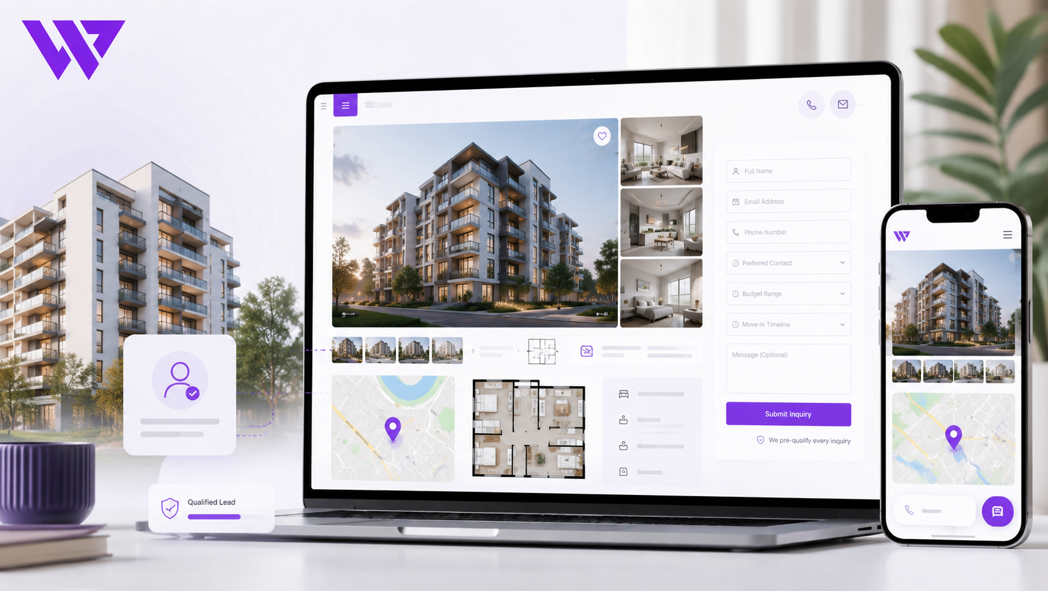
Details
How a Property Business Simplified Search, Filtering, and Agent Contact
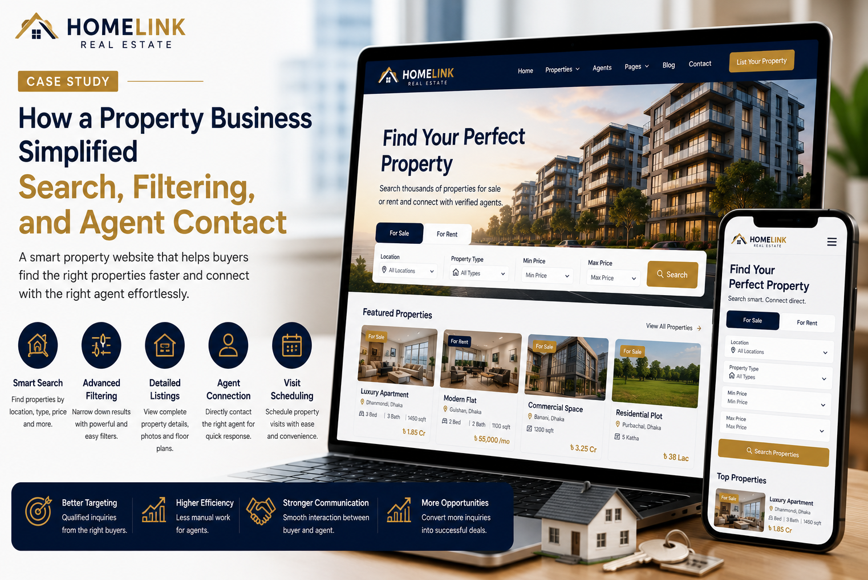
How a Property Business Simplified Search, Filtering, and Agent Contact

1. Project Overview
A growing property business needed a professional website that could help visitors find suitable listings quickly, narrow their choices with practical filters, and contact the correct property agent without unnecessary steps.
The company managed a mixed property portfolio that included:
- Apartments for sale
- Apartments for rent
- Commercial spaces
- Office properties
- Land and plots
- Ready properties
- Under-construction developments
- Investment properties
- Luxury homes
Before the website project, most property information was shared through Facebook posts, WhatsApp messages, spreadsheets, property groups, and individual agent profiles.
Potential clients frequently asked:
- Which properties are currently available?
- Can I search within my preferred location?
- Which properties match my budget?
- How many bedrooms does the unit have?
- Is the property for sale or rent?
- Is the listing still active?
- Which agent is responsible for the property?
- Can I schedule a property visit?
- How can I receive more information quickly?
The existing digital process made property discovery slow and produced incomplete inquiries.
Webnion planned a responsive property website focused on intelligent search, practical filtering, accurate listing details, direct agent communication, and structured inquiry collection.
The goal was to help visitors reach relevant properties faster while giving agents better information before beginning the sales conversation.
2. The Business Challenge
Property customers rarely want to browse every listing in a company’s database.
Most visitors already have several preferences, such as:
- A specific location
- A maximum budget
- A minimum number of bedrooms
- A preferred property type
- A target move-in date
- A sale or rental requirement
- A required floor area
- Access to parking
- Ready or under-construction status
The business faced several common problems:
- Property listings were difficult to search
- Important filters were missing
- Visitors opened many irrelevant listings
- Search results were not optimized for mobile devices
- Property availability was not always clear
- Buyers could not identify the assigned agent
- Agents received messages without a property reference
- Customers sent screenshots instead of listing links
- Site-visit requests were managed manually
- Duplicate inquiries were sent to multiple agents
- Sold or rented properties remained visible too long
- The business lacked a scalable listing-management structure
The company needed a system that connected property discovery with organized agent communication.
3. Project Objectives
The project was planned around the following objectives:
- Make property search faster
- Organize listings into clear categories
- Provide useful and mobile-friendly filters
- Display complete property information
- Connect each listing with the correct agent
- Generate structured property inquiries
- Simplify property-visit requests
- Improve availability management
- Reduce repetitive customer questions
- Support sale and rental listings
- Strengthen local and listing-level SEO
- Improve mobile property discovery
- Create a scalable platform for future listings and agents
Every section was designed to move visitors from broad property interest to a more relevant conversation.
4. Our Strategy
We planned the website around a simple customer journey:
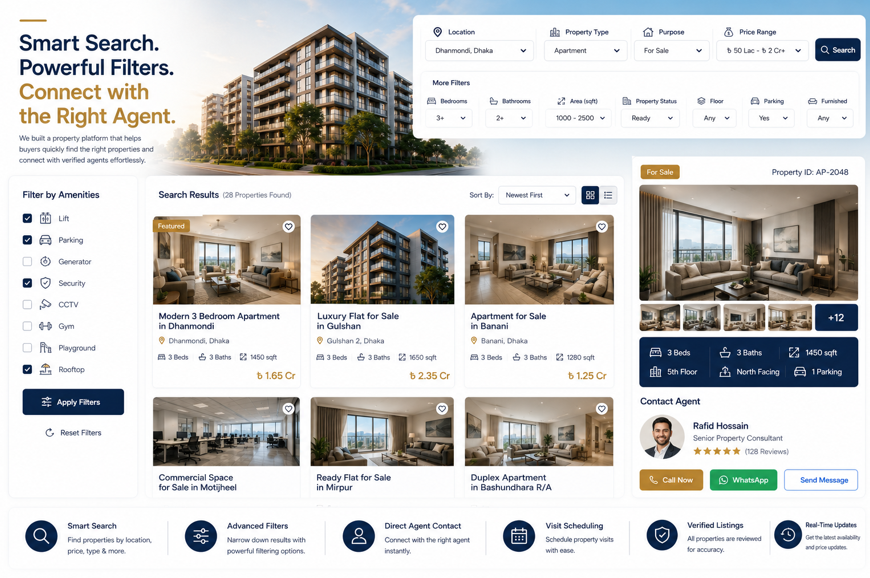
Search → Filter → Compare → Review → Contact Agent → Schedule Visit
The website did not force visitors to browse one long list of unrelated properties.
Instead, customers could define their requirements and reach suitable listings through:
- Property type
- Transaction type
- Location
- Budget
- Bedroom count
- Floor area
- Property status
- Amenities
- Availability
After selecting a listing, the visitor could contact the assigned agent with the property details already included.
This reduced confusion for both the customer and the sales team.
5. Clear Property Categories
The listing database was organized into recognizable categories such as:
- Apartments
- Houses
- Commercial properties
- Office spaces
- Shops and retail spaces
- Land and plots
- Ready properties
- Under-construction properties
- Luxury properties
- Investment opportunities
Customers could begin with the property type most relevant to their needs.
This prevented apartment buyers from searching through land, office, and commercial listings unnecessarily.
6. Sale and Rental Separation
The website created separate journeys for:
- Properties for sale
- Properties for rent
This distinction was visible in:
- Main navigation
- Search forms
- Listing cards
- Property details
- SEO page titles
- Inquiry forms
A rental customer could focus on monthly rent, advance payment, move-in date, and rental conditions.
A buyer could focus on purchase price, payment plan, ownership documentation, project status, and financing guidance.
Separating these journeys made property discovery more accurate.
7. Location-Based Search
Location was treated as one of the main search criteria.
Visitors could search by:
- City
- Area
- Neighborhood
- Road
- Residential zone
- Business district
- Landmark
- Project location
The search experience could display suggested areas while the visitor typed.
This reduced spelling problems and helped customers reach available listings in the correct location.
8. Property Search Bar
A prominent property search bar was placed near the top of the website.
The search form could include:
- Buy or Rent
- Property Type
- Location
- Budget
- Search Properties button
The initial form remained simple so visitors could begin searching without completing a long set of fields.
More detailed filters became available after the first search.
This balanced speed with flexibility.
9. Advanced Property Filters
Visitors who needed more control could use advanced filters such as:
- Minimum price
- Maximum price
- Bedrooms
- Bathrooms
- Minimum floor area
- Maximum floor area
- Ready or under construction
- Furnished or unfurnished
- Parking availability
- Lift availability
- Property age
- Floor level
- Facing direction
- Property purpose
- Listed date
The filters were selected according to the property type.
For example, bedroom and bathroom filters were useful for apartments but not always relevant for land.
10. Mobile-Friendly Filter Experience
Desktop filter sidebars often become difficult to use on smartphones.
The mobile version used a filter panel that opened only when needed.
Visitors could:
- Open filters
- Select preferences
- Apply filters
- Review active selections
- Remove individual filters
- Reset all filters
Active filters remained visible above the results so users understood why certain properties were displayed.
The design avoided covering the entire browsing experience permanently.
11. Search Result Sorting
Property results could be sorted by:
- Newest listings
- Lowest price
- Highest price
- Largest area
- Smallest area
- Most viewed
- Featured properties
- Recently updated
Sorting helped customers review listings according to their priorities.
An investor might begin with recently added opportunities, while a budget-focused buyer might select the lowest-price option first.
12. Clean Property Listing Cards
Each property card displayed the most useful information without overcrowding the search results.
A listing card could include:
- Property image
- Listing title
- Location
- Sale or rental status
- Price
- Bedroom count
- Bathroom count
- Floor area
- Property status
- Availability badge
- Assigned agent
- View Details action
Cards used consistent image proportions and information hierarchy.
This helped visitors compare several properties quickly.
13. Accurate Property Status
Every property could use a clear status such as:
- Available
- Limited Availability
- Reserved
- Sold
- Rented
- Under Construction
- Upcoming
- Temporarily Unavailable
The same status appeared consistently across:
- Search results
- Listing details
- Saved properties
- Agent dashboard
- Inquiry records
This reduced inquiries for properties that were no longer active.
Availability remained subject to confirmation by the property business.
14. Detailed Property Pages
Each listing received a dedicated property page.
The page could include:
- Listing title
- Property reference number
- Full location
- Sale or rental status
- Current availability
- Price guidance
- Floor area
- Bedroom and bathroom count
- Floor information
- Property condition
- Furnishing status
- Parking
- Amenities
- Description
- Photo gallery
- Floor plan
- Map
- Assigned agent
- Inquiry form
- Site-visit request
Visitors could review essential information before contacting an agent.
15. Property Reference Numbers
Every listing used a unique reference number.
The reference appeared on:
- Property cards
- Listing pages
- Inquiry forms
- WhatsApp messages
- Emails
- Agent dashboards
- Visit requests
This helped agents identify the correct property immediately.
Customers no longer needed to describe the listing through screenshots or incomplete titles.
16. Professional Property Photography
The listing gallery could include:
- Building exterior
- Living room
- Bedrooms
- Kitchen
- Bathrooms
- Balcony
- Entrance
- Parking
- Rooftop
- Shared facilities
- Surrounding road
- Neighborhood view
Images were presented in a consistent and mobile-friendly gallery.
Real property photography was preferred.
Concept images, renders, or edited visuals were clearly identified where applicable.
17. Floor Plans and Layouts
Where available, floor plans could show:
- Total floor area
- Room arrangement
- Bedroom count
- Bathroom count
- Kitchen
- Living and dining area
- Balcony
- Entrance
- Utility space
- Direction or orientation
Customers could zoom into floor plans from mobile devices.
This helped buyers understand the layout before requesting a visit.
18. Transparent Property Information
The website was designed to reduce vague listings.
Property pages could explain:
- Exact or approximate floor area
- Price type
- Service charges
- Advance payment
- Parking cost
- Utility information
- Property condition
- Handover status
- Rental conditions
- Additional charges
- Documentation status where approved
The final amount and availability remained subject to confirmation.
Transparent information helped agents receive more realistic inquiries.
19. Property Amenities
Amenities were presented through a clear section.
Depending on the listing, these could include:
- Lift
- Generator or backup power
- Parking
- Security
- CCTV
- Fire-safety provisions
- Rooftop
- Community space
- Gym
- Swimming pool
- Prayer space
- Reception
- Garden
- Children’s play area
Only verified amenities were displayed.
This reduced the risk of creating inaccurate customer expectations.
20. Map and Location Context
The property page could include an interactive map and general location information.
Visitors could review:
- Property location
- Nearby roads
- Schools
- Hospitals
- Shopping centers
- Public transport
- Business areas
- Parks
- Important landmarks
A Get Directions action helped mobile visitors open the location in a map application.
Where the exact property location needed to remain private, the website could show the general area and provide exact directions after agent confirmation.
21. Location-Focused Property Pages
Important areas could have their own landing pages.
For example:
- Apartments in Dhanmondi
- Flats for rent in Uttara
- Commercial spaces in Gulshan
- Land for sale in Purbachal
- Office spaces in Banani
Each location page could include:
- Area overview
- Current listings
- Property types
- Common price ranges where verified
- Nearby facilities
- Transport information
- Related property guides
- Agent contact
This supported both customer discovery and local SEO.
22. Property Comparison
Visitors could compare several properties side by side.
The comparison could include:
- Listing image
- Price
- Location
- Property type
- Bedroom count
- Floor area
- Property status
- Furnishing
- Parking
- Amenities
- Assigned agent
- Availability
This helped buyers evaluate shortlisted options without repeatedly switching between listing pages.
23. Saved Properties
A shortlist or saved-property feature allowed visitors to:
- Save listings
- Return later
- Compare options
- Share properties with family members
- Review listings before contacting an agent
Customers could still submit an inquiry without creating an account if the business wanted a lower-friction experience.
Saved listings supported the longer decision process common in property purchases and rentals.
24. Assigned Agent Profiles
Every property could be linked to a responsible agent.
The agent section could include:
- Agent name
- Professional photograph
- Phone number
- WhatsApp action
- Email address
- Service area
- Property specialization
- Languages spoken
- Available hours
- View Agent Listings action
This gave customers a clear point of contact.
It also reduced the chance that several agents would respond to the same inquiry without coordination.
25. Agent Listing Pages
Each agent could have a dedicated profile page containing:
- Professional information
- Areas served
- Property types handled
- Active listings
- Contact options
- Consultation request
- Customer feedback where approved
Visitors who trusted a particular agent could explore all listings managed by that person.
Only verified professional information was displayed.
26. Property-Specific WhatsApp Contact
A WhatsApp button on each listing could generate a prepared message.
For example:
Hello, I am interested in this property.
Property Reference: AP-2048
Property Type: Three-Bedroom Apartment
Location: Dhanmondi
Transaction Type: Sale
Budget Range:
Visit Required: Yes
Listing Link: [property link]
Please confirm availability and additional details.
This gave the agent useful context before the conversation started.
27. Click-to-Call Agent Contact
A direct call action was available from:
- Property cards
- Property pages
- Agent profiles
- Mobile sticky bar
- Inquiry confirmation page
Visitors could reach the assigned agent without searching for a contact number.
The website could record the click as an interaction, although it could not automatically confirm whether the call resulted in a completed conversation.
28. Qualified Property Inquiry Form
The inquiry form collected practical information such as:
- Full name
- Phone number
- Email address
- Property reference
- Preferred location
- Property type
- Buy or Rent
- Budget range
- Bedroom requirement
- Move-in or purchase timeline
- Payment preference
- Site-visit interest
- Additional message
- Consent confirmation
This helped agents understand the customer’s needs before following up.
It also separated serious inquiries from general browsing activity.
29. Automatic Listing Information
When the inquiry form opened from a property page, it could automatically include:
- Listing title
- Property reference
- Property type
- Location
- Assigned agent
- Listing link
- Inquiry source
Customers did not need to enter this information manually.
The assigned agent could identify the exact listing immediately.
30. Property Visit Requests
A dedicated visit form could collect:
- Visitor name
- Phone number
- Selected property
- Preferred date
- Preferred time
- Number of visitors
- Current location
- Transportation requirement
- Additional instructions
The website explained that a visit request required agent confirmation.
This prevented customers from arriving at the property without coordination.
31. Visit Confirmation
After an agent confirmed the visit, the customer could receive:
- Property reference
- Visit date
- Visit time
- Meeting location
- Agent name
- Agent phone number
- Map link
- Rescheduling instructions
A reminder could be sent before the scheduled visit.
This created a more organized experience for both customers and agents.
32. Similar Property Recommendations
If a property did not fully match a visitor’s needs, the page could recommend similar listings based on:
- Location
- Budget
- Property type
- Bedroom count
- Floor area
- Sale or rental requirement
This helped visitors continue browsing instead of leaving the website.
Recommendations remained relevant rather than showing unrelated properties.
33. Recently Viewed Properties
A recently viewed section helped customers return to listings they had already explored.
This was useful for visitors comparing multiple properties over several sessions.
It reduced the need to repeat the same search and filter process.
34. Search with No Results
When no property matched the selected filters, the website did not show an empty screen.
It could provide:
- A suggestion to adjust the budget
- Nearby location options
- Similar property types
- A reset-filters button
- A custom property request form
- Direct agent assistance
This turned an unsuccessful search into another opportunity for communication.
35. Custom Property Request
Visitors who could not find a suitable listing could submit a broader requirement.
The form could collect:
- Buy or Rent
- Preferred location
- Property type
- Budget
- Bedroom count
- Required floor area
- Move-in timeline
- Essential amenities
- Contact information
The sales team could then recommend current or upcoming properties.
This helped the business capture demand that was not yet represented in the public listings.
36. Listing Update Dates
Every property page could display the latest update date.
This helped customers understand whether the information was recent.
Agents were encouraged to review:
- Availability
- Price
- Images
- Property condition
- Contact details
- Listing status
Regular updates improved trust and reduced inquiries based on outdated information.
37. Property Expiration and Archiving
Listings could automatically or manually become inactive when:
- Sold
- Rented
- Reserved
- Expired
- Removed by the owner
- Temporarily unavailable
Inactive listings could be:
- Hidden from search results
- Redirected to similar properties
- Preserved for internal records
- Marked clearly where continued visibility was useful
This prevented the active catalog from becoming filled with unavailable properties.
38. Property Owner Listing Requests
The website could support owners who wanted to list a property.
A listing request form could collect:
- Owner name
- Contact details
- Property type
- Sale or rent requirement
- Location
- Expected price
- Property size
- Photos
- Documentation status
- Preferred agent contact
The business could review the submission before publishing the property.
Submitting the form did not guarantee that the listing would be accepted.
39. Agent Dashboard
Authorized agents could manage their assigned listings and inquiries.
The dashboard could show:
- Active listings
- New inquiries
- Site-visit requests
- Follow-up tasks
- Listing status
- Customer notes
- Saved searches
- Expiring listings
This created greater accountability and reduced reliance on personal spreadsheets.
40. Central Lead Management
Property inquiries could be recorded in one organized system.
Each lead could include:
- Customer information
- Property interest
- Budget
- Location preference
- Purchase or rental timeline
- Assigned agent
- Inquiry source
- Follow-up date
- Visit status
- Lead status
- Notes
Possible statuses included:
- New Inquiry
- Contacted
- Requirements Collected
- Qualified
- Property Suggested
- Visit Scheduled
- Visit Completed
- Negotiation
- Confirmed
- Follow-Up Required
- Lost
This helped management understand the complete inquiry pipeline.
41. Automatic Agent Assignment
Inquiries could be assigned according to:
- Selected property
- Location
- Property type
- Sale or rent
- Agent workload
- Campaign source
- Customer language
This helped the correct agent receive the inquiry faster.
It also reduced duplicate communication from several sales representatives.
42. Follow-Up Management
Property customers may need time to compare options and make decisions.
The system could support follow-up reminders based on:
- Initial inquiry date
- Customer timeline
- Property visit
- Availability change
- New matching listing
- Price update
- Agent notes
- Rental move-in date
Structured follow-up helped agents remain organized without sending irrelevant or excessive messages.
43. New Matching Property Alerts
Where appropriate and with customer consent, the business could notify users when new listings matched their requirements.
Matching criteria could include:
- Location
- Property type
- Budget
- Bedroom count
- Sale or rental requirement
The customer remained in control of notification preferences and could unsubscribe.
44. Mobile-First Property Browsing
The website was optimized for customers arriving from mobile advertisements, social media, Google Search, and WhatsApp.
Mobile users could:
- Search properties
- Apply filters
- Sort results
- Save listings
- View galleries
- Zoom into floor plans
- Open maps
- Contact agents
- Submit inquiries
- Schedule visits
The layout avoided desktop-only tables and oversized filter panels.
45. Fast Property Page Performance
Property websites often contain many high-resolution images.
The experience was planned with attention to:
- WebP image formats
- Responsive image sizes
- Lazy loading
- Optimized galleries
- Reduced unnecessary scripts
- Efficient fonts
- Browser caching
- Clean front-end code
Faster loading helped customers move between listings with less waiting.
This was especially important for visitors using mobile data.
46. Search Engine Optimization Structure
The website supported SEO through:
- Property-type pages
- Sale and rental pages
- Location pages
- Individual listing pages
- Agent profiles
- Property guides
- Frequently asked questions
- Internal links
- Descriptive meta information
Potential search-focused pages could include:
- Apartments for sale in a target area
- Flats for rent in a target location
- Commercial spaces for sale
- Office spaces for rent
- Land for sale
- Ready apartments
- Property agents in a specific area
Content was written for customers first and avoided unnatural keyword repetition.
47. Listing-Level SEO
Every active property page could include:
- Descriptive title
- Property type
- Location
- Transaction type
- Main specifications
- Image alt text
- Meta description
- Internal links
- Agent information
- Inquiry action
Inactive or duplicate listings required careful indexing decisions to prevent the website from accumulating low-quality pages.
48. Property Buying and Rental Guides
The business could publish educational articles such as:
- How to search for an apartment within a budget
- Questions to ask before renting a property
- What to check during a property visit
- How to compare two apartment listings
- Common property documents to review
- How to prepare for an agent consultation
- Ready versus under-construction properties
- What property owners should prepare before listing
The content remained general and did not replace independent legal, financial, tax, or property advice.
49. Internal Linking
Internal links connected:
- Property listings
- Location pages
- Agent profiles
- Buying guides
- Rental guides
- Similar properties
- Inquiry forms
For example, a property guide about renting could link to active rental listings and rental agents.
This improved navigation and created a stronger website structure for search engines.
50. Property and Legal Disclaimer
The website included clear guidance explaining that:
- Availability could change
- Prices required confirmation
- Listing details depended on information provided to the business
- Images might be illustrative where stated
- Submitting an inquiry did not reserve a property
- Customers should independently verify documents
- Legal and financial advice required qualified professionals
- Property visits required confirmation
This helped manage expectations responsibly.
51. Privacy and Inquiry Data
Property inquiries may include personal preferences and financial ranges.
The website explained:
- What information was collected
- Why it was needed
- Who could access it
- How it could be used
- How long it might be retained
- Whether marketing communication was optional
- How users could request correction or deletion
Only authorized staff and assigned agents could access inquiry records.
52. Secure Form Handling
The inquiry system could include:
- Encrypted website connection
- CSRF protection
- Form validation
- Spam protection
- Restricted dashboard access
- Secure password practices
- Activity logging
- Scheduled backups
- Controlled data export
- Secure image or document uploads where supported
No website can guarantee absolute security.
However, suitable protections reduced unnecessary operational risk.
53. Analytics and Search Behavior
The website could track actions such as:
- Property searches
- Filter use
- Search results
- Listing views
- Saved properties
- Comparison actions
- Agent contact clicks
- WhatsApp clicks
- Phone clicks
- Inquiry submissions
- Site-visit requests
This helped the company understand which locations, property types, and price ranges generated interest.
No unverified inquiry, revenue, ranking, or property-sale statistics were claimed.
54. Design Approach
The visual direction focused on clarity, property discovery, professional trust, and easy agent communication.
The design system included:
- Clean and spacious layouts
- Large property photography
- Clear search controls
- Mobile-friendly filters
- Consistent listing cards
- Structured property details
- Visible agent profiles
- Focused inquiry actions
- Readable typography
- Responsive page layouts
The website avoided unnecessary visual clutter.
Property information and customer actions remained the main focus.
55. Key Features Delivered
The property platform included:
- Responsive property website design
- Sale and rental journeys
- Property-type categories
- Location-based search
- Advanced filters
- Result sorting
- Detailed property pages
- Unique listing references
- Property galleries
- Floor plans
- Availability status
- Maps and location details
- Property comparison
- Saved listings
- Assigned agent profiles
- Property-specific WhatsApp messages
- Click-to-call actions
- Qualified inquiry forms
- Site-visit requests
- Similar property recommendations
- Custom property requests
- Owner listing submissions
- Agent dashboards
- Central lead management
- Automatic agent assignment
- Follow-up reminders
- Matching-property notifications
- Mobile-first browsing
- SEO-friendly location and listing pages
- Property guides
- Privacy-conscious inquiry handling
- Analytics
- Scalable property and agent management
Each feature was selected to improve property discovery, inquiry quality, agent accountability, and customer communication.
56. The Outcome
The completed solution transformed the property website from a basic listing gallery into a structured property-search and agent-contact platform.
Visitors could search by location, budget, property type, bedroom count, and availability before opening a listing.
They could compare properties, review complete details, save preferred options, and contact the responsible agent with the listing information already included.
The property business gained a more organized way to manage listings, assign agents, track inquiries, schedule visits, and follow up with customers.
No unverified traffic, inquiry, revenue, rental, or sales percentages are being claimed. However, the website directly addressed the search, filtering, and communication problems that previously made property inquiries difficult to manage.
57. Business Value Created
The website helps the property business:
- Make listings easier to search
- Reduce irrelevant property results
- Improve mobile filtering
- Receive more complete inquiries
- Connect customers with the correct agent
- Reduce screenshot-based property questions
- Manage sale and rental properties separately
- Keep availability more accurate
- Schedule visits more clearly
- Assign leads automatically
- Improve agent accountability
- Organize long-term follow-up
- Support location-based SEO
- Understand customer search demand
- Add future listings and agents more easily
The project demonstrates that an effective property website must connect search technology with a structured human sales process.
58. Why This Project Matters
Property customers do not want to contact an agent before knowing whether a listing matches their basic needs.
They want to filter by:
- Location
- Budget
- Property type
- Bedrooms
- Floor area
- Availability
- Sale or rent
Agents also need to know which property generated the inquiry and what the customer requires.
A strong property website connects:
Search → Filters → Relevant Listings → Detailed Information → Correct Agent → Qualified Inquiry → Site Visit
The website becomes a digital property-discovery assistant and an organized communication system for the sales team.
59. Frequently Asked Questions
Can customers search properties by location and budget?
Yes. Search and filters can narrow listings by location, price, property type, transaction type, bedroom count, and other criteria.
Can sale and rental properties be separated?
Yes. Separate browsing journeys can be created for buyers and renters.
Can each property be linked to a specific agent?
Yes. Every listing can display the assigned agent’s profile, call button, WhatsApp action, and contact form.
Can the agent receive the property details automatically?
Yes. The inquiry can include the property reference, title, location, listing link, and selected customer preferences.
Can customers compare multiple properties?
Yes. A comparison feature can display price, area, bedrooms, location, amenities, and availability side by side.
Can customers save properties for later?
Yes. A shortlist or saved-property system can help visitors return to preferred listings.
Can unavailable properties be hidden automatically?
Yes. Sold, rented, expired, or inactive listings can be removed from active search results.
Can visitors request a property visit online?
Yes. A structured visit form can collect the preferred date, time, property, and visitor details.
Can property owners request to list their properties?
Yes. A separate form can collect property and ownership information for internal review.
Can the system manage agents and leads?
Yes. Inquiries can be assigned to agents, tracked by status, and connected to follow-up reminders.
60. Need a Search-Focused Website for Your Property Business?
A property website should do more than display listing photos and agent phone numbers.
It should help customers find relevant properties, compare options, understand availability, and contact the correct agent with useful information.
Webnion designs and develops responsive property platforms for:
- Real estate agencies
- Property brokers
- Rental businesses
- Apartment sellers
- Commercial property companies
- Land and plot businesses
- Property management companies
- Multi-agent real estate teams
We create property websites that combine powerful search, mobile filters, detailed listings, agent profiles, qualified inquiries, site visits, and organized lead management.
Build a property platform that makes discovery easier for customers and communication more effective for your agents.