
How a Construction Company Presented Capabilities, Projects, and B2B Inquiries Professionally
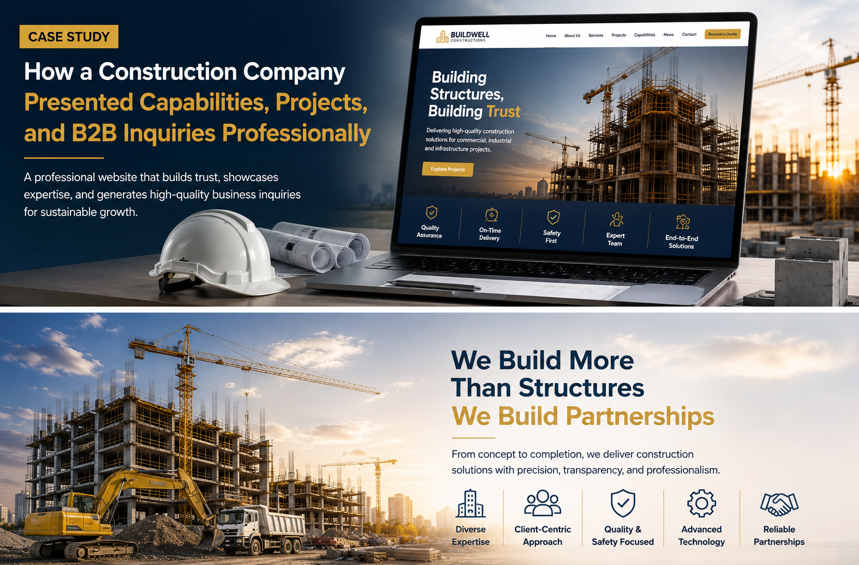
How a Construction Company Presented Capabilities, Projects, and B2B Inquiries Professionally

1. Project Overview
A growing construction company needed a professional website that could clearly present its technical capabilities, completed projects, industry experience, and service areas while generating structured B2B inquiries.
The company worked with property developers, corporate organizations, industrial businesses, architects, consultants, government contractors, commercial property owners, and institutional clients.
Its services included:
- General construction
- Commercial building construction
- Industrial construction
- Civil engineering works
- Structural construction
- Interior fit-out
- Renovation and refurbishment
- Project management
- Design coordination
- MEP coordination
- Infrastructure work
- Maintenance services
Before the website project, most business development depended on referrals, phone calls, printed company profiles, PDF presentations, tender invitations, and direct introductions.
Potential clients often needed to know:
- What type of construction work the company handled
- Which industries it had experience in
- Whether it could manage large or specialized projects
- Which projects had already been completed
- What equipment and workforce were available
- Which locations the company served
- How safety and quality were managed
- Whether project documents could be submitted online
- How to request a quotation or business meeting
The existing digital presence did not communicate these capabilities consistently.
Webnion planned a responsive construction company website focused on professional credibility, detailed capability pages, project portfolios, industry-specific content, structured B2B inquiry forms, and search visibility.
The goal was to help decision-makers evaluate the company and begin a relevant commercial conversation with fewer unnecessary steps.
2. The Business Challenge
Construction clients do not select a contractor based only on attractive building photographs.
They need evidence of:
- Technical capability
- Relevant project experience
- Financial and operational readiness
- Quality management
- Safety procedures
- Team expertise
- Equipment availability
- Project coordination
- Documentation
- Communication
- Delivery capacity
The company faced several common challenges:
- Services were presented through one general list
- Completed projects lacked structured information
- Project images did not explain the actual scope of work
- Different industries could not identify relevant experience
- Potential clients repeatedly requested the same company documents
- B2B inquiries arrived without project size, location, or timeline
- Tender and quotation requests were mixed with ordinary contact messages
- Mobile users struggled to review long company-profile documents
- Safety, quality, and technical processes were not visible enough
- Project credentials were scattered across offline files
- The website lacked service-level and industry-level SEO pages
- Sales staff spent time qualifying incomplete inquiries
The company needed a platform that worked as both a digital company profile and a structured business-development system.
3. Project Objectives
The project was planned around the following objectives:
- Present the construction company professionally
- Explain technical capabilities clearly
- Organize services into dedicated pages
- Display completed and ongoing projects
- Show experience across different sectors
- Present quality and safety practices
- Highlight verified certifications and registrations
- Support quotation and tender inquiries
- Collect complete project requirements
- Allow drawings and documents to be uploaded securely
- Improve mobile presentation
- Reduce repetitive pre-qualification questions
- Strengthen B2B search visibility
- Create a scalable structure for future projects and services
Every section was designed to improve credibility, lead quality, and commercial communication.
4. Our Strategy
We planned the website around the questions procurement teams, project owners, developers, consultants, and corporate decision-makers ask before contacting a contractor.
The intended journey was:
Understand the company → Review capabilities → Explore relevant projects → Verify experience and standards → Submit project requirements → Schedule a commercial discussion
The website separated general company information from project-specific inquiry actions.
Visitors could independently review:
- Services
- Sectors
- Projects
- Team
- Equipment
- Safety
- Quality
- Certifications
- Geographic coverage
- Inquiry requirements
This helped the company receive better-prepared and more relevant B2B conversations.
5. Professional Construction Brand Presentation
The website needed to communicate stability, technical competence, and reliability immediately.
The visual direction focused on:
- Strong architectural photography
- Clean corporate layouts
- Consistent typography
- Clear service categories
- Project-focused sections
- Real site photography
- Technical diagrams where relevant
- Visible business contact information
- Structured inquiry actions
- Responsive mobile presentation
The design avoided excessive animation and unsupported promotional statements.
The company’s actual capabilities and evidence remained the main focus.
6. Clear Construction Service Categories
The company’s capabilities were organized into dedicated service areas.
These could include:
- General Contracting
- Civil Construction
- Commercial Construction
- Industrial Construction
- Residential Development
- Structural Works
- Interior Fit-Out
- Renovation and Refurbishment
- MEP Coordination
- Infrastructure Development
- Project Management
- Maintenance and Facility Support
Each service received its own focused page.
This helped clients reach information directly related to their project.
7. General Contracting Page
The general contracting page could explain the company’s role in:
- Project planning
- Site mobilization
- Resource coordination
- Subcontractor management
- Material procurement
- Construction supervision
- Schedule monitoring
- Quality control
- Safety management
- Project handover
The page clarified that final scope, pricing, schedule, and responsibilities would depend on approved drawings, specifications, site conditions, contracts, and client requirements.
8. Commercial Construction Page
The commercial construction page could present experience with:
- Office buildings
- Retail spaces
- Shopping centers
- Hotels
- Restaurants
- Showrooms
- Corporate facilities
- Mixed-use developments
- Warehouses
- Commercial renovations
The page explained how the company managed coordination between architectural, structural, electrical, mechanical, and interior requirements.
Relevant commercial projects were connected directly to the service page.
9. Industrial Construction Page
Industrial clients often require specialized planning and execution.
The industrial construction page could present services for:
- Factories
- Warehouses
- Production facilities
- Utility buildings
- Industrial sheds
- Logistics centers
- Processing facilities
- Equipment foundations
- Internal roads
- Drainage and infrastructure
The page could also explain experience with:
- Operational environments
- Safety requirements
- Phased construction
- Heavy equipment access
- Utility coordination
- Production-related constraints
Only verified industrial capabilities were presented.
10. Civil and Structural Works
The civil and structural capability page could include:
- Site preparation
- Earthworks
- Foundation construction
- Reinforced concrete structures
- Steel structures
- Masonry
- Retaining walls
- Drainage
- Roads and pavements
- Structural rehabilitation
- External development works
Technical information was explained clearly without publishing confidential engineering calculations.
Final structural solutions remained subject to approved engineering designs and professional review.
11. Interior Fit-Out Services
The interior fit-out page could cover:
- Office interiors
- Retail fit-outs
- Restaurant interiors
- Hospitality spaces
- Showrooms
- Institutional interiors
- Ceiling systems
- Partition works
- Flooring
- Joinery
- Electrical coordination
- HVAC coordination
- Finishing works
The page could present the company’s ability to coordinate design intent, materials, contractors, services, and installation schedules.
12. Renovation and Refurbishment
Renovation projects often involve existing structures, active buildings, and unknown site conditions.
The page could explain services such as:
- Commercial renovation
- Office refurbishment
- Building upgrades
- Structural repair coordination
- Interior modernization
- External façade improvement
- MEP replacement coordination
- Phased construction
- Occupied-building work
- Maintenance shutdown planning
The website avoided providing fixed renovation prices without inspection and scope review.
13. Project Management Capability
The project management page could explain support for:
- Project planning
- Budget coordination
- Procurement planning
- Contractor coordination
- Schedule management
- Progress reporting
- Quality monitoring
- Risk identification
- Document control
- Client communication
- Handover coordination
This helped clients understand the company’s management process beyond physical construction work.
14. Industry-Specific Experience
The website organized experience by sector.
Potential sectors included:
- Real Estate Development
- Corporate and Commercial
- Industrial and Manufacturing
- Retail
- Hospitality
- Healthcare
- Education
- Warehousing and Logistics
- Government and Public Infrastructure
- Residential Development
Each sector page could display:
- Relevant services
- Typical project requirements
- Completed projects
- Operational considerations
- Inquiry action
This helped B2B visitors identify experience relevant to their industry.
15. Detailed Project Portfolio
Every important project received its own structured portfolio page.
A project page could include:
- Project name
- Client type
- Location
- Industry
- Project status
- Completion year
- Project size
- Scope of work
- Contract type
- Key challenges
- Construction approach
- Services delivered
- Project gallery
- Outcome
- Related capabilities
Confidential client information was excluded unless publication had been approved.
16. Completed and Ongoing Project Separation
Projects were organized into:
- Completed Projects
- Ongoing Projects
- Featured Projects
Completed projects demonstrated execution history.
Ongoing projects could display approved progress information such as:
- Current stage
- Project location
- General scope
- Progress date
- Selected site photographs
The company avoided publishing sensitive site, client, contract, or security information without permission.
17. Project Scope Presentation
Project pages did not rely only on photographs.
They explained the company’s actual involvement.
Examples included:
- Full general contracting
- Structural construction
- Civil works
- Interior fit-out
- MEP coordination
- Renovation
- Project management
- External development
- Finishing works
- Maintenance support
This helped decision-makers understand what the company had delivered rather than assuming it managed the entire project.
18. Project Challenges and Solutions
Where appropriate, project case studies could explain:
- Site-access limitations
- Tight schedules
- Active operational environments
- Material coordination
- Phased handover
- Structural complexity
- Weather conditions
- Stakeholder coordination
- Safety requirements
- Quality expectations
The content focused on process and capability without revealing confidential technical information.
This created stronger evidence than a simple image gallery.
19. High-Quality Project Photography
The project gallery could include:
- Exterior views
- Interior spaces
- Structural progress
- Construction activities
- Material installations
- Finishing details
- Equipment
- Site coordination
- Completed areas
- Handover condition
Images were dated or categorized where useful.
The website avoided using unrelated stock photography to represent completed projects.
20. Before-and-After Project Evidence
Renovation and refurbishment projects could use before-and-after comparisons.
The page could explain:
- Original site condition
- Scope of improvement
- Construction process
- Completed result
- Project duration
- Operational constraints
Images were presented accurately and were not edited in a misleading way.
Client permission was required before publication.
21. Construction Progress Updates
Ongoing project pages could publish approved progress updates.
Updates might include:
- Site mobilization
- Foundation work
- Structural frame
- Masonry
- MEP installation
- Finishing stage
- External works
- Testing
- Handover preparation
Each update could include a publication date.
This helped visitors distinguish current information from older project photographs.
22. Capability Statement
A dedicated capability section could summarize:
- Years of operation where verified
- Geographic coverage
- Project sectors
- Construction disciplines
- Workforce structure
- Equipment availability
- Management systems
- Quality approach
- Safety process
- Procurement capability
The company avoided unsupported claims such as unlimited project capacity or guaranteed completion under every condition.
23. Equipment and Resources
The website could present verified information about:
- Construction equipment
- Site machinery
- Scaffolding systems
- Formwork systems
- Vehicles
- Survey equipment
- Safety equipment
- Testing tools
- Site offices
- Logistics support
Where equipment was rented or partner-supplied, the wording reflected that accurately.
This helped clients understand operational readiness.
24. Workforce and Team Structure
The website could introduce professional roles such as:
- Civil engineers
- Project managers
- Site engineers
- Quantity surveyors
- Safety officers
- Quality inspectors
- Supervisors
- Procurement professionals
- Planning engineers
- Skilled technicians
- Administrative coordinators
Personal profiles were included only where appropriate.
Qualifications and experience were displayed only when verified.
25. Leadership Profiles
Leadership pages could present:
- Name
- Position
- Professional background
- Verified qualifications
- Industry experience
- Areas of responsibility
- Professional memberships
- Leadership approach
The website avoided unsupported labels such as “industry-leading expert.”
Professional credibility was built through verifiable experience.
26. Quality Management
A quality-focused page could explain the company’s approach to:
- Material inspection
- Approved samples
- Work inspections
- Method statements
- Testing
- Non-conformance management
- Corrective actions
- Document control
- Consultant approvals
- Handover documentation
The website did not claim compliance with a specific certification unless that certification was current and verifiable.
27. Health and Safety
Safety information was presented as a core operational capability.
The page could include:
- Site induction
- Risk assessment
- Toolbox meetings
- Personal protective equipment
- Permit procedures
- Work-at-height controls
- Equipment inspection
- Incident reporting
- Emergency planning
- Safety supervision
- Training
The website avoided claiming zero risk or guaranteed incident-free performance.
Safety outcomes depend on continuous implementation and project conditions.
28. Certifications and Registrations
The website could display verified:
- Business registrations
- Contractor licenses
- Industry memberships
- Quality certifications
- Safety certifications
- Environmental certifications
- Vendor registrations
- Approved contractor statuses
Every displayed credential included accurate names and current details where appropriate.
Expired or unverifiable certificates were not presented.
29. Downloadable Company Profile
Potential clients could download a professional company profile containing:
- Company overview
- Capabilities
- Services
- Sectors
- Projects
- Team
- Equipment
- Quality
- Safety
- Contact information
The document included an update date so clients could identify whether they had the latest version.
A lead form could optionally collect basic business information before download.
30. Prequalification Documents
The website could create a controlled request process for:
- Company profile
- Registration documents
- Certifications
- Project lists
- Organization chart
- Equipment list
- Safety documents
- Quality documents
- Financial information where approved
Sensitive prequalification documents were not necessarily published publicly.
They could be provided after internal review and authorization.
31. B2B Inquiry Types
The website separated inquiries into clear categories:
- Request a Quotation
- Tender Invitation
- Project Consultation
- Subcontracting Opportunity
- Supplier Registration
- Partnership Inquiry
- General Business Inquiry
- Maintenance Request
This prevented every message from entering one generic contact form.
It also helped the correct department receive the inquiry.
32. Request for Quotation Form
The RFQ form could collect:
- Company name
- Contact person
- Business email
- Phone number
- Project type
- Project location
- Estimated project size
- Required services
- Current project stage
- Expected start date
- Required completion date
- Budget range
- Consultant information
- Additional notes
- Consent confirmation
This gave the business-development team useful information before responding.
33. Tender Invitation Form
A separate tender form could collect:
- Client organization
- Tender title
- Tender reference
- Project location
- Scope category
- Submission deadline
- Pre-bid meeting date
- Contact person
- Tender documents
- Required qualifications
- Communication instructions
The website clarified that submission of a tender invitation did not guarantee participation.
The company would review capacity, eligibility, scope, schedule, and commercial suitability.
34. Secure Document Uploads
B2B inquiries could support uploads such as:
- Drawings
- Bills of quantities
- Specifications
- Tender documents
- Scope documents
- Site photographs
- Project schedules
- Prequalification requirements
The upload process could define:
- Allowed formats
- Maximum size
- Number of files
- Purpose of collection
- Authorized access
- Retention policy
Confidential documents required restricted handling.
35. Project Consultation Request
Clients who were not ready to submit a complete tender could request an initial consultation.
The form could collect:
- Project category
- Location
- Current stage
- Required services
- Estimated size
- Timeline
- Main challenges
- Preferred meeting type
- Contact information
This helped the construction company prepare for a focused first meeting.
36. Commercial Meeting Booking
The website could support meeting requests for:
- Office consultation
- Online meeting
- Site visit
- Technical discussion
- Pre-tender meeting
- Partnership discussion
The request remained pending until the company confirmed availability.
This prevented clients from assuming that a selected time was automatically reserved.
37. WhatsApp and Direct Call Support
A professional WhatsApp message could include:
Hello, I would like to discuss a construction project.
Company Name:
Project Type: Commercial Building
Project Location:
Current Stage: Design Development
Required Service: General Contracting
Expected Start Date:
Project Page: [link]
Please advise on the next steps.
This gave the business-development team useful context immediately.
Phone actions remained available for clients who preferred direct communication.
38. Supplier and Vendor Registration
Construction companies frequently work with suppliers, subcontractors, and specialized service providers.
A supplier-registration form could collect:
- Company name
- Contact information
- Product or service category
- Coverage area
- Years of operation
- Certifications
- Previous clients
- Company profile
- Registration documents
- Product catalog
- Additional notes
Submitting the form did not guarantee approval or future work.
All applications remained subject to internal evaluation.
39. Subcontractor Registration
A separate subcontractor form could collect:
- Trade specialization
- Workforce size
- Geographic coverage
- Equipment
- Previous project experience
- Safety records
- Certifications
- Contact information
- Supporting documents
This helped the company organize potential subcontractor information without mixing it with client inquiries.
40. Careers and Workforce Recruitment
A professional careers section could display:
- Current vacancies
- Engineering roles
- Project-management roles
- Site positions
- Safety positions
- Technical positions
- Administrative roles
- Internship opportunities
Applicants could upload resumes through a separate recruitment process.
Employment applications remained separate from project inquiries.
41. Office and Regional Coverage
The website clearly presented:
- Head office
- Branch offices
- Project offices where appropriate
- Service regions
- Contact numbers
- Business hours
- Map
- Directions
- Department contacts
This helped B2B clients understand where the company operated.
The website avoided claiming national or international coverage without operational support.
42. Client and Partner Information
With permission, the website could display:
- Client names
- Partner organizations
- Consultants
- Architects
- Suppliers
- Industry associations
Logos were used only with authorization.
A client logo did not imply endorsement beyond the verified working relationship.
43. Client Testimonials
Testimonials could discuss:
- Communication
- Coordination
- Professionalism
- Documentation
- Quality
- Schedule management
- Responsiveness
- Handover support
Testimonials were presented as individual project experiences.
The website did not use them to guarantee identical results for every future project.
44. Construction Case Studies
Selected projects could be developed into detailed case studies.
A case study could include:
- Client challenge
- Project scope
- Site conditions
- Delivery approach
- Coordination process
- Quality controls
- Safety planning
- Project outcome
- Images
This helped prospects understand how the company solved real construction problems.
Confidential commercial and technical details were excluded.
45. News and Project Updates
The website could publish:
- New project awards
- Project milestones
- Completion announcements
- Safety initiatives
- Team development
- Equipment additions
- Industry events
- Partnerships
- Corporate updates
Every announcement needed to be accurate and approved before publication.
46. Construction Insights and Educational Content
The company could publish articles such as:
- What clients should prepare before requesting a construction quotation
- How to compare contractor proposals
- Why project scope clarity matters
- Understanding construction project stages
- Questions to ask before appointing a contractor
- The role of quality control
- How construction progress reporting works
- What information is required for a preliminary estimate
This content supported decision-makers and strengthened SEO.
It did not replace professional engineering, legal, financial, or contractual advice.
47. Search Engine Optimization Structure
The website supported SEO through:
- Service pages
- Sector pages
- Project pages
- Location pages
- Construction case studies
- Educational articles
- Frequently asked questions
- Company information
- Internal linking
Potential search-focused pages could include:
- Construction company in the target city
- Commercial building contractor
- Industrial construction company
- Civil construction services
- Interior fit-out contractor
- Renovation contractor
- General contractor
- Warehouse construction company
- Office fit-out services
Content was written for potential clients rather than repeating keywords unnaturally.
48. Service and Location Pages
Where the company served several areas, it could create useful location-focused pages.
Examples included:
- Commercial construction company in Dhaka
- Industrial contractor in Gazipur
- Warehouse construction services in Narayanganj
- Office fit-out contractor in Gulshan
- Renovation services in Chattogram
Every page required genuine service and location-specific information.
Duplicate pages with only the location name changed were avoided.
49. Internal Linking
Internal links connected:
- Services
- Sectors
- Projects
- Team profiles
- Capability pages
- Case studies
- Inquiry forms
- Company documents
For example:
An industrial construction page could link to factory projects, equipment capability, safety information, and the RFQ form.
This created a more connected B2B research journey.
50. Frequently Asked Questions
The website could answer common business questions such as:
- What types of construction projects do you handle?
- Which locations do you serve?
- How can we request a quotation?
- Can tender documents be uploaded?
- Do you provide design services?
- Can you work with an appointed consultant?
- Do you provide project management?
- How is construction pricing determined?
- Can we schedule a site meeting?
- Do you accept subcontractor registrations?
- What information is needed for an initial estimate?
- Does submitting an inquiry confirm project acceptance?
This reduced repetitive pre-sales conversations.
51. Pricing and Estimate Disclaimer
Construction pricing depends on factors such as:
- Approved drawings
- Specifications
- Bill of quantities
- Materials
- Site conditions
- Project location
- Access
- Schedule
- Labor
- Equipment
- Contract terms
- Regulatory requirements
The website did not provide misleading fixed prices for complex projects.
Initial guidance remained subject to document review, site inspection, technical evaluation, and formal quotation.
52. Contract and Project Disclaimer
The website clearly explained that:
- Website information was general
- Project availability depended on capacity
- Submitting an inquiry did not create a contract
- Timelines required technical review
- Pricing required formal quotation
- Images represented identified projects only
- Project outcomes depended on scope and conditions
- Final responsibilities were governed by signed agreements
This helped manage commercial expectations responsibly.
53. Privacy and Confidential B2B Information
Construction inquiries may include confidential drawings, budgets, schedules, and commercial information.
The website needed clear privacy practices explaining:
- What information was collected
- Why it was required
- Who could access it
- How files were handled
- How long information might be retained
- Which third-party services were involved
- How clients could request correction or deletion
Access to project documents was restricted to authorized staff.
54. Secure Inquiry Handling
The platform could include:
- Encrypted website connection
- Form validation
- CSRF protection
- Spam prevention
- Secure file uploads
- Restricted administrator access
- Role-based permissions
- Activity logs
- Scheduled backups
- Controlled file downloads
- Data export permissions
No platform can guarantee absolute security.
Appropriate safeguards helped reduce unnecessary operational risk.
55. Inquiry Administration
Authorized staff could manage B2B inquiries through an organized dashboard.
Each inquiry could include:
- Client organization
- Contact person
- Project type
- Location
- Estimated size
- Services required
- Timeline
- Budget range
- Uploaded documents
- Inquiry source
- Assigned team member
- Follow-up date
- Status
- Notes
Possible statuses included:
- New Inquiry
- Under Review
- Documents Required
- Initial Meeting Scheduled
- Site Visit Required
- Estimation in Progress
- Quotation Submitted
- Tender Review
- Negotiation
- Awarded
- Declined
- Archived
56. Inquiry Assignment
Inquiries could be assigned according to:
- Service category
- Project location
- Project size
- Industry
- Tender type
- Sales team
- Estimation department
- Management review
This helped the correct team receive project information quickly.
It also reduced duplicate responses from different departments.
57. Document and Communication History
The system could maintain an internal history of:
- Inquiry submission
- Uploaded documents
- Additional document requests
- Meetings
- Site visits
- Quotations
- Revisions
- Follow-up notes
- Status changes
This created better continuity across business-development, estimation, engineering, and management teams.
58. Staff Roles and Permissions
Different users required different access levels.
Roles could include:
- Administrator
- Business Development
- Estimation Team
- Project Manager
- Management
- Document Controller
- Content Manager
- Recruitment Staff
A content manager could update project pages without accessing confidential tenders.
Recruitment staff could review job applications without viewing B2B project inquiries.
59. Notifications and Follow-Up
Authorized staff could receive notifications when:
- A new RFQ was submitted
- Tender documents were uploaded
- A meeting was requested
- A supplier registered
- Additional files were received
- A follow-up date arrived
- An inquiry status changed
Clients could receive confirmation that their submission had been received.
The confirmation did not imply acceptance or quotation commitment.
60. Analytics and B2B Behavior
The website could track actions such as:
- Service-page visits
- Project views
- Company-profile downloads
- Capability-page views
- Document-download requests
- RFQ submissions
- Tender invitations
- Phone clicks
- WhatsApp clicks
- Meeting requests
This helped the company understand which capabilities and sectors generated interest.
No unverified lead, revenue, contract-award, or search-ranking percentages were claimed.
61. Mobile-First B2B Experience
Corporate decision-makers frequently review contractor information from smartphones during meetings, travel, and site visits.
Mobile users could:
- Review capabilities
- Explore projects
- View service pages
- Download the company profile
- Call the company
- Open WhatsApp
- Submit an RFQ
- Upload project documents
- Request a meeting
- Get office directions
Forms, galleries, documents, and project details were adapted for mobile screens.
62. Website Performance
Construction websites often contain large project photographs and downloadable documents.
The platform was planned with attention to:
- WebP images
- Responsive image sizes
- Lazy loading
- Optimized document previews
- Reduced unnecessary scripts
- Efficient fonts
- Browser caching
- Clean front-end code
- Lightweight animations
Faster loading helped B2B visitors review important information efficiently.
63. Design Approach
The visual direction focused on technical strength, reliability, organization, and corporate trust.
The design system included:
- Strong construction photography
- Clean corporate colors
- Structured capability sections
- Clear project cards
- Professional typography
- Visible quality and safety content
- Mobile-friendly inquiry forms
- Consistent document presentation
- Focused B2B calls to action
- Responsive layouts
The design avoided excessive decoration.
Capabilities, evidence, and commercial actions remained the main priorities.
64. Key Features Delivered
The construction company platform included:
- Responsive corporate website design
- Mobile-first navigation
- Dedicated construction service pages
- Industry-specific capability pages
- Completed and ongoing project portfolios
- Detailed project case studies
- Project galleries
- Construction progress updates
- Equipment and resource pages
- Team and leadership profiles
- Quality-management information
- Health and safety information
- Verified certification presentation
- Downloadable company profile
- Controlled prequalification documents
- RFQ forms
- Tender invitation forms
- Secure document uploads
- Project consultation requests
- Commercial meeting booking
- WhatsApp and phone actions
- Supplier registration
- Subcontractor registration
- Careers section
- Client testimonials
- Construction insights
- SEO-friendly service and location pages
- Privacy-conscious inquiry handling
- Inquiry administration
- Staff roles and permissions
- Notifications
- Analytics
- Scalable project and service management
Each feature was selected to improve credibility, inquiry quality, internal coordination, and B2B business development.
65. The Outcome
The completed solution transformed the construction company’s digital presence from a basic corporate profile into a structured B2B capability and inquiry platform.
Potential clients could review the company’s services, sectors, completed projects, technical resources, team, safety approach, and quality processes before contacting the business.
They could submit project requirements, upload tender documents, request commercial meetings, and contact the relevant team through clear actions.
The company gained a more organized system for reviewing, assigning, and following up with B2B opportunities.
No unverified contract, revenue, inquiry-growth, project-success, or search-ranking percentages are being claimed. However, the website directly addressed the credibility and communication barriers that previously made construction inquiries difficult to qualify and manage.
66. Business Value Created
The website helps the construction company:
- Present capabilities professionally
- Make services easier to understand
- Demonstrate relevant project experience
- Build trust through real evidence
- Highlight quality and safety processes
- Receive more complete project inquiries
- Reduce repetitive company-profile requests
- Organize tender invitations
- Collect drawings and specifications
- Route inquiries to the correct team
- Improve internal follow-up
- Support supplier and subcontractor registration
- Strengthen B2B search visibility
- Track buyer and client interest
- Add future projects and services easily
The project demonstrates that a construction website becomes more valuable when it connects technical credibility with an organized commercial process.
67. Why This Project Matters
B2B construction clients need more than a homepage containing building photographs and a contact number.
They need to understand:
- What the contractor can deliver
- Which sectors it understands
- What projects it has completed
- How quality and safety are managed
- Which resources are available
- How to submit project documents
- Who will review the inquiry
- What happens after submission
A strong construction website connects:
Capability discovery → Project evidence → Company verification → Structured inquiry → Technical review → Commercial discussion
The website becomes a digital prequalification, business-development, and project-inquiry platform.
68. Frequently Asked Questions
Can the website present different construction services separately?
Yes. Dedicated pages can be created for commercial, industrial, civil, structural, interior, renovation, and project-management services.
Can completed projects have individual pages?
Yes. Each project can display its location, sector, scope, challenges, services, photographs, and completion information.
Can clients upload tender documents?
Yes. Secure forms can accept drawings, specifications, bills of quantities, schedules, and tender documents.
Does submitting an RFQ guarantee a quotation?
No. The company must first review scope, capacity, eligibility, documents, timeline, and commercial requirements.
Can suppliers and subcontractors register online?
Yes. Separate registration forms can collect company details, capabilities, certifications, and supporting documents.
Can the company profile be downloaded?
Yes. A current company profile can be offered directly or after collecting basic business information.
Can quality and safety certifications be displayed?
Yes, provided the credentials are current, accurate, and verifiable.
Can inquiries be assigned to different departments?
Yes. Requests can be routed to business development, estimation, project management, procurement, or management.
Can the website support multiple offices and regions?
Yes. Each office can have separate contact details, maps, service regions, and inquiry routing.
Does the website provide a final construction price?
No. Final pricing requires approved scope, drawings, specifications, quantities, site conditions, schedule, and formal commercial review.
69. Need a Professional Website for Your Construction Company?
A construction company website should do more than display completed buildings.
It should help potential clients evaluate technical capability, review relevant projects, verify business credibility, and submit complete project requirements.
Webnion designs and develops responsive websites for:
- Construction companies
- Civil contractors
- General contractors
- Industrial builders
- Commercial construction firms
- Interior fit-out companies
- Renovation contractors
- Engineering and project-management businesses
We create professional B2B platforms that combine capabilities, project portfolios, quality and safety information, RFQ forms, tender document uploads, supplier registration, and organized inquiry management.
Build a construction website that presents your company professionally and turns business interest into structured commercial opportunities.